|
|
|
|
Dynamic
scan-time values
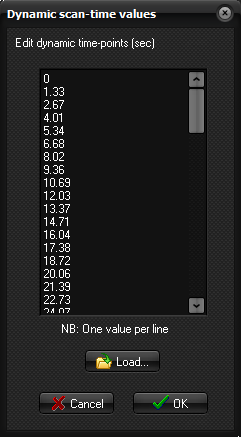
The Dynamic scan-time values dialog box can be displayed by clicking on the Edit ... button of the Axis options dialog
box.
This dialog box is only
enabled when the ‘X-scale’ drop-down menu is set <Image Time (dynamic)>
Edit dynamic
time-points (sec): The values displayed
are either the default values or the values extracted automatically from the
dicom header. Entries can be edited by user. Load: Loads values from a text file (one value per
line). Related topics:
Axis
options
|
|