|
|
|
|
Batch
Analysis – FreeSurfer/FastSurfer (FS) -segmentation
This
module is developed specifically for extracting individual regions of
interest from a FreeSurfer of FastSurfer (FS) generated brain segmentation image
series. The
purpose of this module is: ·
Extract specific cortical or subcortical
segments from a list of available structures (as defined by FS) ·
Create binary masks from these segments
which can then be used for batch ROI analysis of these structures in
functional data (typically perfusion, DCE or DTI). A
valid FS-generated brain segmentation dataset should be according to the
Desikan-Killiany atlas and is output from FS as ‘aparc+aseg.mgz’, which then
needs to be converted to nifti format for further analysis in nordicICE. Details
on how to generate the FS segmentation map can be found here.
Note that FS performs segmentation in ‘patient space’ so that one
segmentation mask will be generated for each subject analyzed.
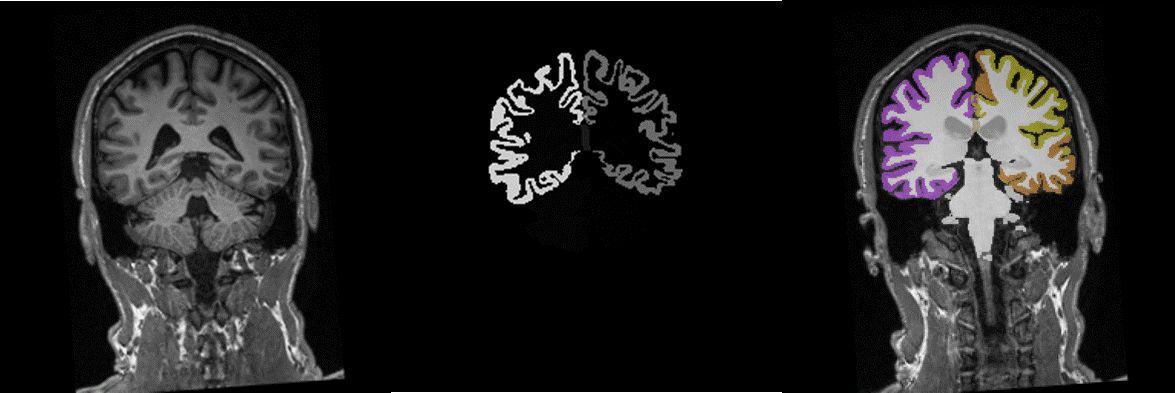
Figure 1. Sample case of original T1-weighted image (left), the corresponding ‘aparc+aseg’ segmentation as generated in FreeSurfer and the nifty-converted segmentation volume overlaid on the original T1-series (using the ‘segment’ colormap in nordicICE) The
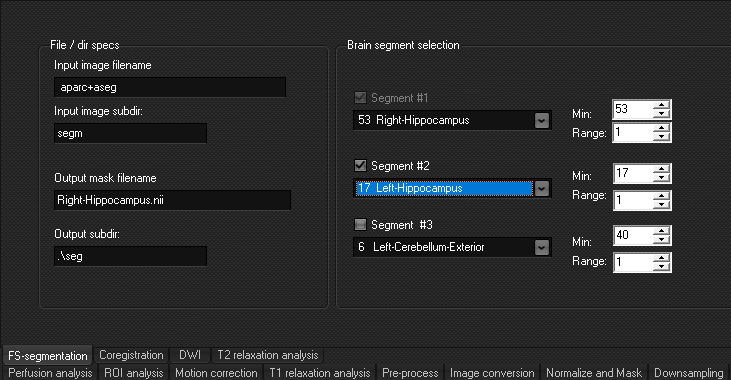
main interface for the FS-segmentation module:
·
Input image filename: Specify
FS-generated segmentation file here (NB, must be in nifti-format) ·
Output mask filename: Name
of output mask automatically reflects selected structures to be segmented
(can be modified by user) ·
Brain segment selection: Select
standard FS segmented region from drop-down menu. Up to 3 segments can be
selected at once The
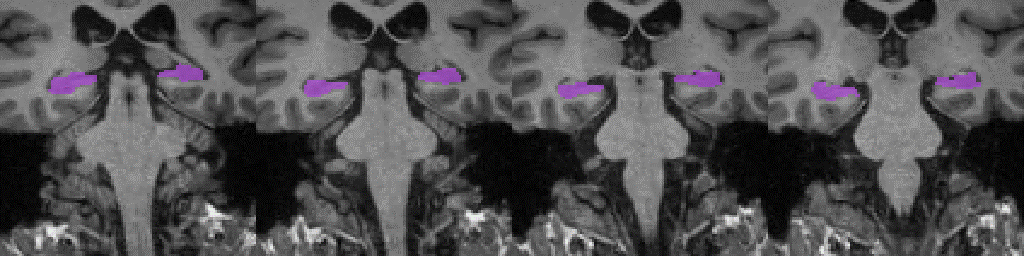
resulting hippocampus binary segment file (in nifti format) generated,
overlaid on the original coronal T1-series is shown below.
The
resulting binary segment file can now be used as basis for extracting ROI
values e.g. from a functional dataset following coregistration to the
structural data. NOTE:
FS-generated masks can also be applied directly as input to the ROI analysis
function in the batch module. See link below for details. Related topicsBatch ROI analysis and Image Pixel Extraction |
|