|
|
|
|
Advanced
perfusion settings
Advanced
settings related to perfusion analysis, AIF deconvolution options, CA leakage
correction method and tissue segmentation. The
Advanced perfusion settings dialog box is displayed by clicking on the
Advanced options ... button accessed from the Perfusion
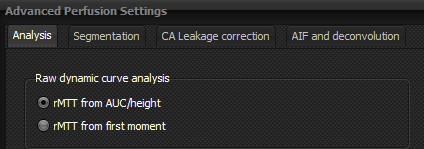
Settings dialog box. The settings contain five sub-settings tabs Analysis tab: Selects whether relative
mean transit time (rMTT) is determined from the area under curve (AUC) / peak
height ratio of the first-pass curve (default) or from the first moment of
the first-pass curve
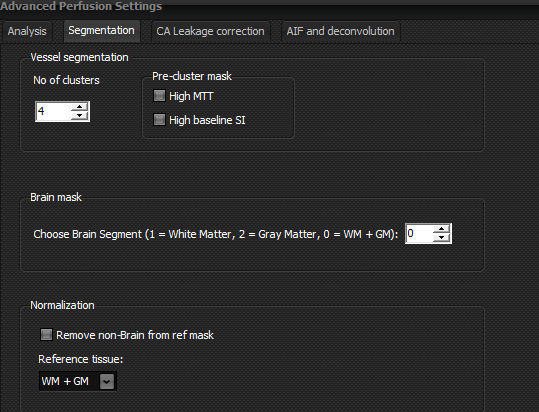
Segmentation tab:
·
Vessel segmentation: selects
number of clusters used for the k-means cluster algorithm used to identify
vessels in the DSC perfusion series and whether a pre-cluster mask should be
applied to remove regions with high MTT or high baseline signal intensity
before applying the main segmentation procedure. See Emblem et al doi: 10.1002/mrm.21944 for details. NOTE: these
methods should be used with care as no guarantee can be made that high CBV pathologic
tissue as incorrectly identified as vessels. ·
Brain mask: selects which tissue type should be used
when generating a brain mask. ·
Normalization:
selects which tissue type to use for automated normalization of perfusion
metrics to normal appearing brain (either WM, GM or both). The option <remove
non-Brain from ref mask> attempts to remove ‘atypical’ regions from the
generated brain mask. See Emblem et al: doi:
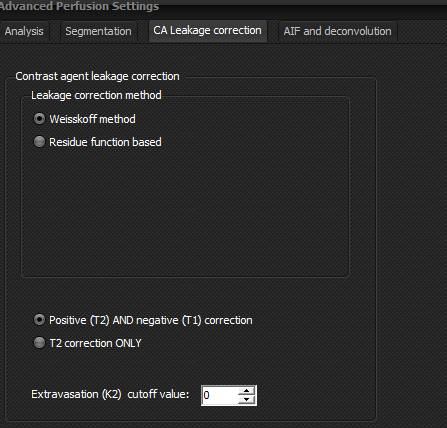
10.3174/ajnr.A1680 for details. CA leakage tab:
·
Contrast agent leakage correction method: ·
Weisskoff method: leakage correction is
performed according to the method initially proposed by Weisskoff et al and
later by Boxerman et al (http://www.ajnr.org/content/ajnr/27/4/859.full.pdf) ·
Leakage correction performed based on
analysis of the tissue residue function following automated AIF
deconvolution. See Bjornerud et al (doi: 10.1038/jcbfm.2011.52) and Lee et al
(doi: 10.3174/ajnr.A5732) for details. ·
Option to include both T1-dominant and
T2-dominant leakage or only T2-dominant leakage in the analysis and for setting
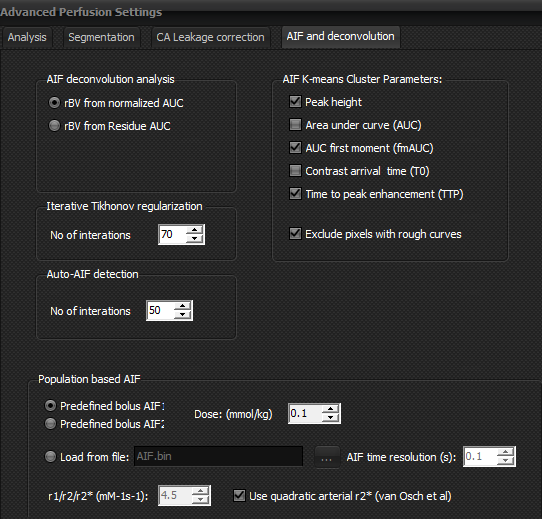
a lower cutoff for K2 (extravasation constant) to include in output map. AIF and deconvolution tab:
Related topics:
Perfusion
settings
|
|