Coregistration
of perfusion and structural series
Ideally,
the perfusion series should already be co-registered to the structural series
(the active series when the VAI module was launched). If this is not the
case, there are some options for performing inter-modal coregistration from
within the VAI module.
First,
you may want to visually check if the perfusion data is properly
co-registered to the structural series. This can be done by pressing the
button  under the <Display
options > tab. under the <Display
options > tab.
This
will load the perfusion series as overlay on the structural MPR series:
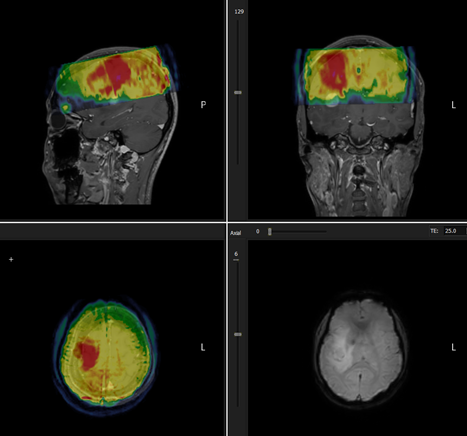
Figure 1: Visualization of poor coregistration between perfusion
and structural series
Once
in coreg mode the overlay can be manually dragged into position from any of
the MPR views by pressing <Shift> + left mouse button in the
appropriate MPR window. The modified overlay position will be specified in
dialog box:
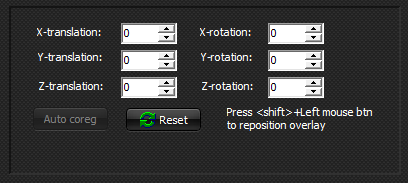
Figure 2: Structural / perfusion coregistration results menu.
Manual
repositioning currently only supports translational displacements and not
rotations. Auto-coregistration is currently not available inside the module,
and must be done in advance.
Tips:
Performing coregistration before starting the module is done by holding the
key 'c' and dragging the functional dataset on-top of the structural dataset.

|