|
|
|
|
VAI
data interaction
The
VAI module has two main modes of interaction, referred to as (a) ‘trace mode’
and (b) ‘pan/zoom mode’, and selection of mode is done from the main menu:
The
default mode is Trace mode
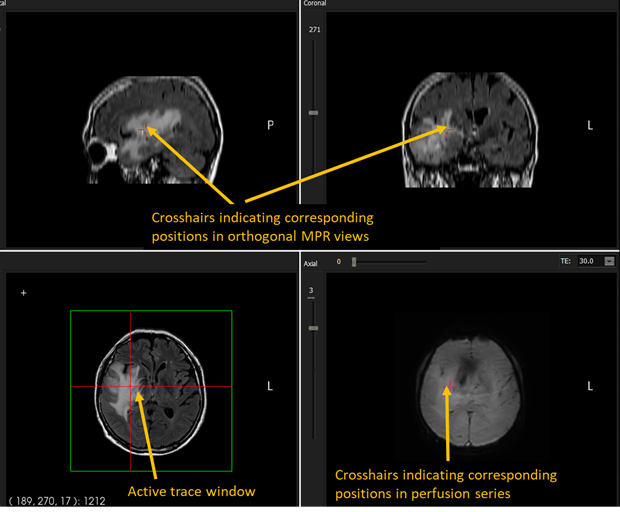
(left icon) whereby the current cursor position in the active MPR
window is traced/updated for the same position is the orthogonal MPR views
and also in the perfusion series, if present:
Figure 1: Trace mode interaction. In
trace mode, window level/width can be modified by pressing right mouse button
and moving mouse up/down - left/right.
Image
zoom: right mouse button + up/down Change
image level/width: <ctrl+w> + move mouse up/down / left/right (not
pressing any mouse buttons). By default, win/level settings are applied to
all three MPR views, but this can be changed to only be applied to active
window (check off ‘link window settings’ under the ‘Display options’ tab).
Window levels can also be set directly under the ‘Display option’ tab.
|
|