|
|
Volume view tab
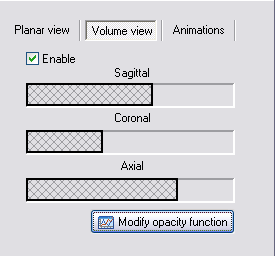
- Enable:
- Toggle on/off 3D volume rendering feature. This enables a full volume rendering to be done, utilizing a technique referred to as 3D texture mapping
. Your graphics card may or may not support this feature (most nVidia and ATI-cards do).
-
- Sagittal/Coronal/Axial:
- Apply cuttings planes through the volume. The cutting planes can be adjusted interactively by clicking on of the edges of the bars and dragging it to the left/right.
-
- Modify opacity function:
- Inspect and modify the current opacity (transparency) function used to map pixel-values within the volume to transparency.

|
|